Screen Time and Learning — How to Find a Healthy Balance
How much screen time is reasonable for a 5–7-year-old? How to tell valuable screen use from empty scrolling, and build a healthy balance.
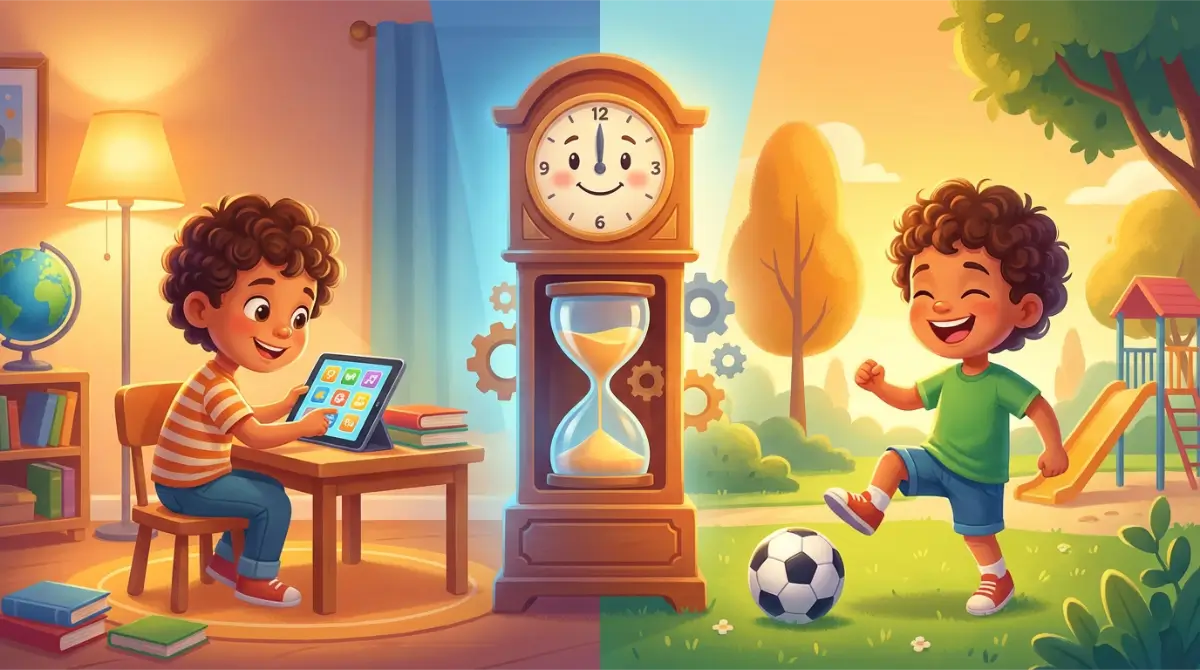
"Too much screen time!" — one of the most common parental worries. But is it really only about quantity, or also about what your child does on that screen and how? The answer is less obvious than it seems — and, happily, it turns into a handful of simple, doable rules. This article will help you build a healthy balance: without demonizing screens, but without pretending they don't matter either.
Not Every Screen Is the Same
An hour of watching random videos is not the same as twenty minutes solving problems in a good educational app. Scrolling short clips is not the same as a video call with grandma. The clock may show the same time, but for a child's brain these are entirely different activities.
A useful way to think about it is to split screen time into three kinds: passive (watching without interaction), interactive (games, educational apps, creating), and communicative (video calls with loved ones). Each affects a child differently. That third kind is the most underrated: a video call with a faraway grandparent is real, warm social contact, not "wasted screen time" — and it's fair to count it differently from watching cartoons alone. This is exactly why experts increasingly stress that content and context matter more than raw minutes — pediatricians have moved away from "how many hours?" toward "what exactly, and with whom?"¹ It doesn't mean time stops mattering; it means two hours of passive watching and twenty minutes of shared learning are two completely different things.
What Do the Guidelines Say?
It's worth setting the facts straight here, because there's a lot of confusion about them.
The World Health Organization (WHO) issued concrete recommendations, but they apply to children under 5: for infants and one-year-olds, screen time is not recommended at all, and for children aged 2–4, no more than one hour of sedentary screen time per day, "less is better"³. Importantly, WHO does not give a fixed number of minutes for five-year-olds and older — so if you see "WHO recommends an hour for a 5-year-old," that's a misreading.
For school-age children, experts deliberately don't give a single magic number. The American Academy of Pediatrics has for years moved away from a rigid minute limit, emphasizing quality, content, co-viewing, and balance with the rest of the day. Rules focused on balance, content, and communication are linked to better well-being than rules focused on the clock alone¹. The practical tool the AAP offers families is a Family Media Plan — deciding together where, when, and how screens fit your household, rather than chasing one number.
So How Much for a 5–7-Year-Old?
If there's no single number, how do you set things up? Instead of a rigid limit, think about the balance of the day. For a child this age, the non-negotiables should fit first: sleep (10–12 hours), movement, family time, free play, and the day's responsibilities. Screens go into what's left over, not the other way round. If sleep, movement, and play are taken care of, a short serving of valuable screen time really isn't a problem.
In practice, for most 5–7-year-olds, one or at most two short sessions a day works better than a screen humming "in the background" for half the day. For learning, keep in mind a young child's naturally short attention span: 20–30 minutes of a focused educational session is usually about as much as a child this age can sustain with benefit — after that, concentration drops and a break beats pushing on². It's a practical guideline, not a hard rule: one child will focus longer, another shorter.
Sleep and Screens
Evenings deserve their own mention, because balance is hardest here. Using screens right before bed is linked to worse sleep — for several reasons at once: the light and the stimulation of engaging content make it harder to wind down, and the screen itself "eats" time that should go to sleep. So a good, widely recommended rule is a screen-free wind-down for roughly an hour before bed — a book, a chat, quiet play instead of a tablet². There's no need to make a drama of it; the point is to consciously slow down in the evening.
Productive vs. Unproductive Screen Time
Since content matters more than raw minutes, it helps to tell them apart. Valuable screen time usually teaches or develops something (counting, words, logic, creating), has a clear beginning and end, engages the child to act rather than just stare, and can be talked about afterward. Low-value screen time is most often endless scrolling, autoplaying one clip after another with no goal, and content that merely occupies attention while giving nothing back.
A simple test for a parent: after the session, can the child tell you what they did or learned? If yes, that was screen time "for something." If the child comes away irritable and can't say what they even watched, that was screen time "to nowhere." That difference matters more than ten minutes either way.
Five Rules for Healthy Screen Time
1. Movement First, Then Screen
Simple rule: the child runs around first. After physical activity, twenty minutes with a tablet is a treat, not a cure for boredom. Order matters — screen after movement, not instead of it.
2. Shared Sessions at the Start
Spend the first weeks with a new app right next to your child. Ask what they're doing, what they're counting, what's hard. This builds the association "screen = shared time and conversation," not "screen = I'm left alone." Co-viewing and co-using is one of the best-regarded practices in family guidance¹.
3. A Specific Goal, Not an Open Session
"Let's do ten tasks in EduBert" works better than "play with the tablet." The child knows in advance when they'll finish, and you avoid negotiating "just a bit longer." A task with a clear end also teaches that a screen serves a purpose rather than being a bottomless pit.
4. A Screen-Free Evening
About an hour before bed, screens go away and we switch into wind-down mode. It's one of the rules that pays off most — better sleep means a better mood and easier mornings.
5. Parents Too
If you say "put down the tablet" while staring at your phone, the message lands as zero. Shared "screen-free hours" for the whole family work better than bans aimed only at children. Kids learn far more from our example than from our instructions.
When to Raise a Yellow Flag
You'll know the balance is healthy when screens aren't crowding out other important things. It's worth a closer look when screen time starts eating into sleep, movement, or play with other children; when putting the tablet away regularly ends in a meltdown out of proportion to the situation; when a screen becomes the only way to calm your child; or when the child loses interest in play they used to love. These aren't reasons to panic, but signals to gently shift the proportions — more movement and shared time, less and shorter screens. If, despite your efforts, it doesn't ease and genuinely affects your child's well-being, it's worth talking to a pediatrician or psychologist.
How to Introduce Rules Without a Fight
Having rules is one thing; rolling them out without daily wars is another. A few things really help. First, predictability: when a screen has a fixed place in the day's rhythm (say, after the afternoon snack, never before school), the child stops fighting for it because they know when their turn comes. Second, warning the end: "five more minutes" or "one more level" works far better than snatching the tablet away mid-task. Third, consistency — if a rule holds on Monday, it should hold on Saturday too; "just this once" exceptions are exactly what children test hardest.
What you offer instead of the screen matters too. "We're turning off the tablet" goes down much better when something appealing follows right away: a game together, going outside, helping in the kitchen. Taking away with no alternative breeds rebellion; swapping for another fun activity does so far less. And remember that the first days of new rules are often the hardest — that's normal. A week of consistency is usually enough for the new rhythm to settle.
Screens Aren't a Reward or a Punishment
It's tempting to use screens as the main currency at home: "be good and you'll get the tablet," "you misbehaved, so I'm taking it away." The trouble is that this inflates the value of the screen in a child's eyes. If the tablet is the biggest prize you can win, it also becomes the thing worth fighting for hardest — and every attempt to limit it turns into a conflict.
It's healthier to treat valuable screen time as simply one ordinary activity among others — alongside a book, blocks, and the backyard — no better and no worse. Tie rewards and consequences to things other than the screen, so you don't turn it into a holy grail. Paradoxically, the less emotion swirls around the tablet, the easier a sensible balance becomes: a thing that isn't a huge reward doesn't spark huge fights when it's put away.
What Does This Look Like in Practice?
A sample day for a six-year-old with a healthy balance: morning, zero screens — breakfast, getting dressed, school or kindergarten. Afternoon, after outdoor play, 20–30 minutes with a good educational app. Evening, maybe a short show, but not right before bed. Altogether about 40–50 minutes of screen time a day, half of it active learning rather than passive watching.
That's not "too little." That's about right — provided the rest of the day is full of movement, sleep, and shared time. And the reverse holds too: even a short screen session won't "fix" a day that lacked play and connection.
The Role of a Good Educational App
Let's be honest: even the best app is still screen time and still counts toward the day's budget. But valuable screen time has a real edge over passive — because the child is doing something, practicing, and getting immediate feedback. Educational games with short, closed sessions and a clear goal fit the rules in this article perfectly: they have an end, they engage the child to act, and they can be talked about.
EduBert was designed this way — short levels with a clear end, a concrete goal ("let's do one level"), and no infinite scrolling or ads. If you're after a screen "for something," The Park Adventure is a good candidate — the first level is free. Treat it as one element of a balanced day, alongside movement, sleep, and shared play — not as a way to fill your child's time.
Summary
Don't fight screens — manage them. Take care of sleep, movement, and shared time first, choose valuable content over passive scrolling, sit with your child at the start, and set simple family rules. Then twenty minutes of active learning on a tablet isn't "screen time to cut" — it's simply one of the tools of a well-arranged day.
Frequently Asked Questions
How much daily screen time for a 5–7-year-old? There's no single magic number for this age. Instead of a rigid limit, protect the balance: sleep, movement, and play first, with screens in what's left — usually one or at most two short sessions a day.
Does WHO recommend an hour a day for my 6-year-old? No. The "up to an hour" guidance applies to children aged 2–4. For five-year-olds and older, WHO doesn't give a fixed number of minutes.
Does an educational app also count as screen time? Yes — it's still screen time and counts toward the day's budget. The difference is quality: valuable, active learning gives more than passive watching, but it still needs moderation and balance.
Do screens really harm sleep before bed? Using a screen right before bed is linked to worse sleep — through light, stimulation, and "eating" time meant for sleep. That's why a screen-free wind-down about an hour before bed helps.
How do I tell valuable screen time from unproductive? A simple test: after the session, can the child say what they did or learned? Valuable screen time teaches, engages the child to act, and has a clear end; unproductive is mostly endless scrolling.
What if my child throws a fit when the tablet goes away? Occasional protests are normal. Warning the end ("one more level and we're done") and sessions with a clear finish both help. If the outbursts are frequent and very intense, treat it as a signal to reduce the amount and shorten sessions.
Do I have to ban screens entirely? No. It's about balance, not a ban. A sensibly chosen, valuable screen can be part of a healthy day — the key is that it doesn't crowd out sleep, movement, and shared time.
Screens are neither a miracle tool nor an enemy — it all depends on what, how much, and how. If you'd like to give your child a short, valuable, friendly screen "for something," The Park Adventure is waiting — the first level is free.
Sources
- American Academy of Pediatrics — "Media and Children" / Family Media Plan: aap.org — emphasis on quality over quantity, co-viewing, and balance rather than a single screen-time limit for school-age children.
- American Academy of Child & Adolescent Psychiatry — "Screen Time and Children" (Facts for Families): aacap.org — practical recommendations on media use, routines, and screens before sleep.
- World Health Organization — "Guidelines on physical activity, sedentary behaviour and sleep for children under 5 years of age" (2019): who.int — age-based sedentary screen-time guidance (under 5): none under age 2, up to 1 hour for ages 2–4.

Written by the EduBert team
We create educational games that combine play with learning math.
Read also

Educational Games for Kids — Do They Really Work? What Research Says
What research says about educational games: when they help kids learn math, how to spot a good one, and how much screen time is too much.
How to Choose a Good Educational App for Your Child — 7 Criteria
A practical checklist for parents: how to distinguish a valuable educational app from colorful fluff. 7 criteria that really matter.

How to Teach Your Child Addition — Calmly and Without Tears
Teach your child addition step by step: from blocks to mental math, three strategies that make the difference, and how to practice without pressure or tears.

Try EduBert together
Create a free account and let your child explore — the first level of every adventure is free.
Create free account →No card required — 4 adventures and the Training Meadow