Educational Games for Kids — Do They Really Work? What Research Says
What research says about educational games: when they help kids learn math, how to spot a good one, and how much screen time is too much.
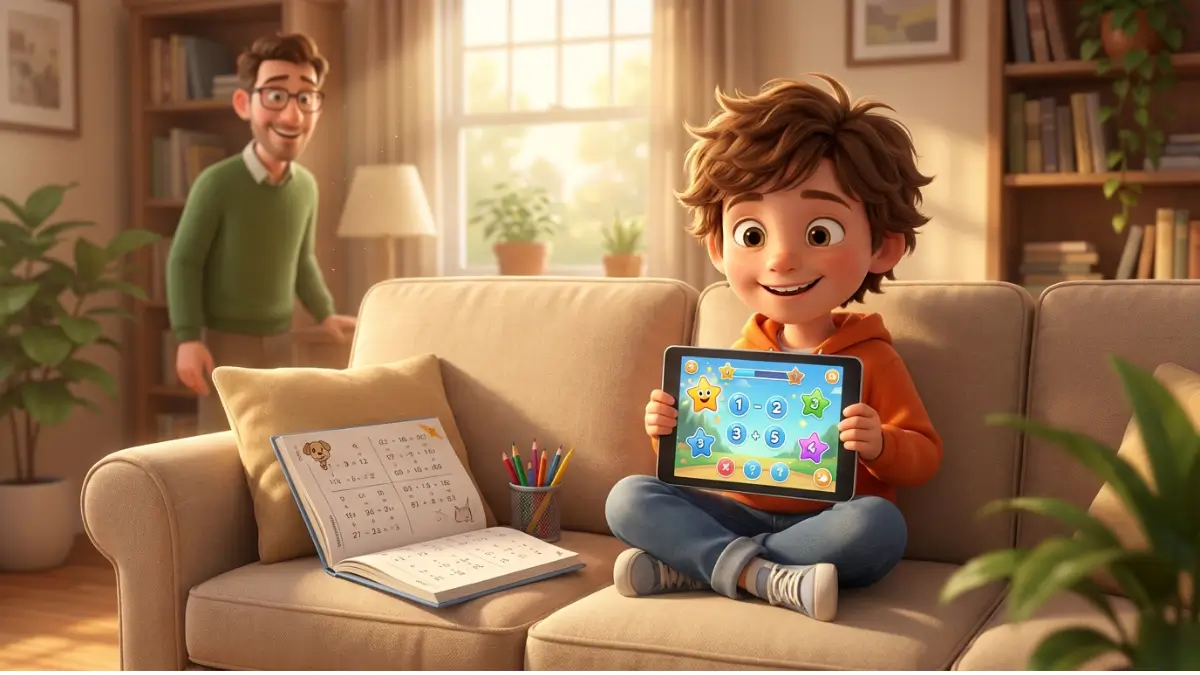
"The child is sitting in front of a screen" — this sentence makes many parents anxious. But not every screen is the same. A well-designed educational game can be one of the more effective learning tools; a poorly designed one, a waste of time. Below: what research actually says, how to spot a valuable game, how much screen time is too much, and how to pair a game with "real-life" learning.
What Does Research Say?
Rather than guess, it helps to look at the studies. Meta-analyses of games in maths teaching — for example Byun and Joung (2018) in School Science and Mathematics¹ and Tokac, Novak and Thompson (2019) in the Journal of Computer Assisted Learning² — find a moderately positive effect of well-designed games on pupils' results, especially in basic arithmetic (addition, subtraction, multiplication). "Moderately" is the key word: a game isn't a miracle cure, but a real, measurable support — provided it's a good one.
What separates an effective game from a useless one? Three factors recur across the research: immediate feedback (the child instantly knows whether they answered correctly), adaptive difficulty (the game adjusts to the child's skill), and engagement (a story, characters, and rewards that are part of the learning, not just decoration). Games with only one of these work poorly; those with all three work best.
It's worth cooling two extreme views right away. Games are neither a "digital tutor that will teach for us" nor "mindless time-wasting." The truth is in between and depends on quality: the same studies that show a positive effect for good games also show that weak games produce little or none. So the choice of a specific app matters more than the blanket decision of "game or no game."
Gamification vs. Entertainment — The Key Difference
Not every "educational game" is educational. Many app-store titles use maths as a pretext for colourful entertainment: the child watches animations, collects stars, and occasionally answers a question. Learning there is incidental, not intentional.
A good game reverses this ratio: learning is the core, and story and rewards support motivation. The child can't move on until they master the material — but moving on is enjoyable, because a new scene, character, or challenge awaits. The difference between the two is often invisible in the app store — which is exactly why it's worth looking inside before you hand a game to a child.
The three pillars, up close
These three factors are worth unpacking, because they're what you look at when judging a specific app:
- Feedback. The best is immediate and specific — not just "wrong," but a hint or the correct route shown. The child then learns from the mistake rather than just logging it.
- Adaptivity. A game should grow with the child: easy at the start, harder as it goes well. Too hard discourages, too easy bores — and boredom and frustration are learning's two biggest enemies.
- Engagement. Narrative context — a story and characters — can raise engagement and the wish to return, especially for younger children. The one condition: the story should lead to counting, not away from it.
What a good game trains beyond counting
A good maths game is more than arithmetic drill. Along the way, a child practises persistence (trying again after a mistake, because in a game that's natural), attention (following a task to the end), and coping with failure in safe conditions — losing a round is no disaster. They also build "number sense": comparing, estimating, noticing that a result "can't be that big."
These skills pay off well beyond maths — though of course they don't replace time with peers or running around outside. A game is a valuable addition, not the whole diet.
7 Features of a Good Educational Game
How to tell a valuable game from colourful fluff? Here's a checklist:
1. Difficulty progression. The game starts easy and gradually raises the bar. The child isn't overwhelmed at the start or bored after five minutes.
2. Immediate feedback. After each answer the child knows if it was right — ideally with a brief explanation, not just a green or red colour.
3. Mistakes without punishment. A good game treats a slip as a chance to learn, not a failure. It encourages accuracy without scaring.
4. Story and characters. Not mandatory, but narrative context raises engagement and retention in younger children.
5. Task variety. Not just "give the answer." Comparing, sorting, gap-filling, matching — different formats exercise different aspects of mathematical understanding.
6. Insight for parents. A parent should see what the child has mastered, where they struggle, and how long they spend in the game.
7. No ads or microtransactions. Ads distract and can be unsafe for children; microtransactions teach bad habits and spoil the learning.
What to avoid — red flags
Just as there are marks of a good game, there are red flags. Uninstall (or don't install) if an app: floods the child with ads or asks for purchases mid-play; "rewards" mainly by playing animations, with counting as an afterthought; never changes difficulty, so the child either struggles or is bored; or gives no insight into what the child is actually learning. Bright graphics and nice music aren't enough — underneath there has to be real learning.
Screen Time — How Much Is Too Much?
Screen-time advice shifts and differs in the details, but experts — from the American Academy of Pediatrics to national paediatric bodies³ — agree on one thing: there's no single magic number of minutes, and for children past the earliest years what matters is balancing screens with movement, sleep, play, and time with people.
More important than "how much" is "what" and "how." Fifteen minutes a day with a good educational game is an investment; fifteen minutes scrolling random videos is not. And one rule makes a huge difference: a parent should know what the child is doing on screen and, at least at first, be right there. Playing together turns "screen time" into shared time. A simple habit helps too: switch the screen on for a specific purpose ("let's play a counting game"), not "to keep them busy" — a goal set in advance orders both the time and the content.
A game isn't everything — pair it with the concrete
Even the best app won't replace blocks, fingers, and a conversation with a parent. A screen is great at reinforcing and automating what a child already understands, but understanding is first built on real objects. So the best results come from mixing: a game one day, counting with objects the next, a quick "in passing" question at the shop. A game is one tool in the backpack, not the whole backpack. We cover building that foundation in our guide on how to teach addition — and the natural next step in how to teach subtraction.
Where parents' worries come from — and how to answer them
Anxiety around screens is understandable, but it helps to break it down. The three most common worries:
- "Games are addictive." The risk is real with games designed to keep a child as long as possible (endless rewards, no natural end). A good educational game does the opposite: tasks with a clear beginning and end, aiming for the child to learn something and put it down satisfied — not to play forever.
- "Screens harm eyes and sleep." That's why the dose and timing matter: short sessions during the day, not right before bed, with breaks to look into the distance. It's a question of healthy use, not of the game's existence.
- "A game will replace real play." Only if we let it. A game should be an addition to blocks, the playground, and conversation — not a substitute — and here the parent's role is decisive.
In other words: the problem is rarely "games" in general, and more often a particular game and the way we use it.
Who games work best for — and when they're not enough
Games do most for children who already understand the basics and need reinforcement — the repetition they can't be bothered to do on a worksheet. They're great, too, for children who are hard to seat for "exercises" but happily play.
But there are situations where a game alone isn't enough. If a child clearly and persistently struggles with counting despite practice, no app replaces a conversation with a teacher or specialist and work with concrete objects. A game is then one tool of support, not a solution in itself — worth remembering, so real help isn't put off "because the child is playing."
How to judge a game yourself — a quick test
Before you hand a child an app, spend five minutes on it yourself. Ask a few questions: do you actually have to count to move on, or is clicking enough? After a mistake, do you get a hint? Does the level rise? Are there no ads? Can you see what the game teaches and over what range? If most answers are "yes," the game has a real chance of helping. If "no," it's entertainment dressed up as education. This five-minute test saves a lot of disappointment.
How to fit a game into the week
It's best when a game has a fixed, limited place in the day — not "whenever," but say a short session after an afternoon snack, a few times a week. Combine it with other forms: Monday a game, Tuesday blocks, Wednesday counting at the shop. That variety lets the child see the same mathematical idea in several ways, and keeps the screen from becoming the only route to numbers.
And set a clear end to the session in advance — "two more levels and we're done" works far better than suddenly taking the tablet away. Predictability cuts down on resistance and arguments over "just a bit more."
One good game or ten?
Better one good game than ten mediocre ones. A common temptation is installing more and more apps "just in case" — you end up with a screen full of icons the child taps for five minutes and abandons. A valuable game has weeks of progression, so it pays to stay with one well-designed title and give the child time to work through the levels. Build variety not with the number of apps, but by pairing a game with concrete objects and everyday counting. Ten mediocre games on a tablet do less than one good one plus a box of blocks.
How EduBert Applies These Principles
We designed EduBert around exactly these features:
- Progression: the child moves from small numbers to bigger ones, across ten levels of rising difficulty.
- Feedback: immediate, with encouragement after a mistake — a slip is a chance to learn, not a punishment.
- Motivation: a lives-and-badges system that rewards accuracy without discouraging trying.
- Story: the child goes on an adventure with the Park Adventure characters.
- Variety: tasks in many formats — not just "give the answer," but comparing, sorting, filling gaps.
- For parents: statistics for all children with Premium; FREE does not include panel statistics.
- Peace of mind: no ads and no microtransactions.
The first level of The Park Adventure is free — you can run through the checklist above yourself and see whether the game meets it. And if a child likes mixing operations, they can practise any of them in their favourite format on the Training Meadow.
Frequently asked questions
Do educational games really teach, or just entertain? Research shows a moderately positive effect — but only for well-designed games (with feedback, adaptivity, and a meaningful story). A colourful app without those features mostly entertains.
How much can a child play each day? There's no single magic number. For a preschooler or early pupil, fifteen to twenty minutes of a good game a day, balanced with movement, play, and sleep, is reasonable. What matters more than the time is what and how the child does on screen.
How do I spot a good educational game? By the seven features in this article — and most simply: play it yourself for five minutes and check whether you really have to count, whether the level rises, and whether there are no ads.
Will a game replace learning with a parent? No. A game reinforces and automates, but understanding is built first on concrete objects and in conversation. Best to mix the two.
Are free apps okay? Some are good, but be careful: "free" often means "with ads" or "with microtransactions." In an app for a child, those are serious drawbacks.
From what age should we start? It depends on the game. For children aged 5–7, choose simple titles with a story, short tasks, and clear feedback — and play together, at least at first.
Can a game make a child addicted? The risk applies mainly to games designed to be played endlessly. A good educational game has tasks with a clear end and goal, and the parent's role is to set a sensible dose and timing.
My child prefers games to paper exercises — is that bad? No. If the game is good, it's simply a more effective form of the same practice. Just make sure counting with concrete objects and conversation happen alongside it.
Educational games are neither a miracle cure nor a waste of time — it all depends on which one you choose and how you use it. A good game, in a sensible dose and alongside real blocks, can genuinely help a child warm to numbers. The best test is always the same: sit down together, play, and see whether the child is really counting — with a smile. If you'd like to see a game designed around these principles, try The Park Adventure — the first level is free.
Sources
- Byun, J., & Joung, E. (2018). "Digital Game-Based Learning for K–12 Mathematics Education: A Meta-Analysis." School Science and Mathematics: eric.ed.gov — a meta-analysis finding a moderately positive effect of games on maths achievement.
- Tokac, U., Novak, E., & Thompson, C. G. (2019). "Effects of game-based learning on students' mathematics achievement: A meta-analysis." Journal of Computer Assisted Learning: onlinelibrary.wiley.com — game-based learning shows a small-to-moderate positive effect on maths results.
- American Academy of Pediatrics — "Family Media Plan" / Media and Children, HealthyChildren.org: healthychildren.org — balance screens with other activities; no single "magic number" of minutes.

Written by the EduBert team
We create educational games that combine play with learning math.
Read also
How to Teach Your Child Addition — Calmly and Without Tears
Teach your child addition step by step: from blocks to mental math, three strategies that make the difference, and how to practice without pressure or tears.
Elementary Math Curriculum, Grades 1–3: A Common Core Guide
Explore the elementary math curriculum for grades 1–3 through Common Core, with clear expectations and practical ways to help at home.

Meet the Park Characters — Gardener Henry, Squirrel Suzie, Goose Greta, Hedgehog Jeremy and Magpie Stephanie
Every character in EduBert has a personality and a role. Meet the heroes who accompany your child while learning addition in the Park Adventure.

Try EduBert together
Create a free account and let your child explore — the first level of every adventure is free.
Create free account →No card required — 4 adventures and the Training Meadow